
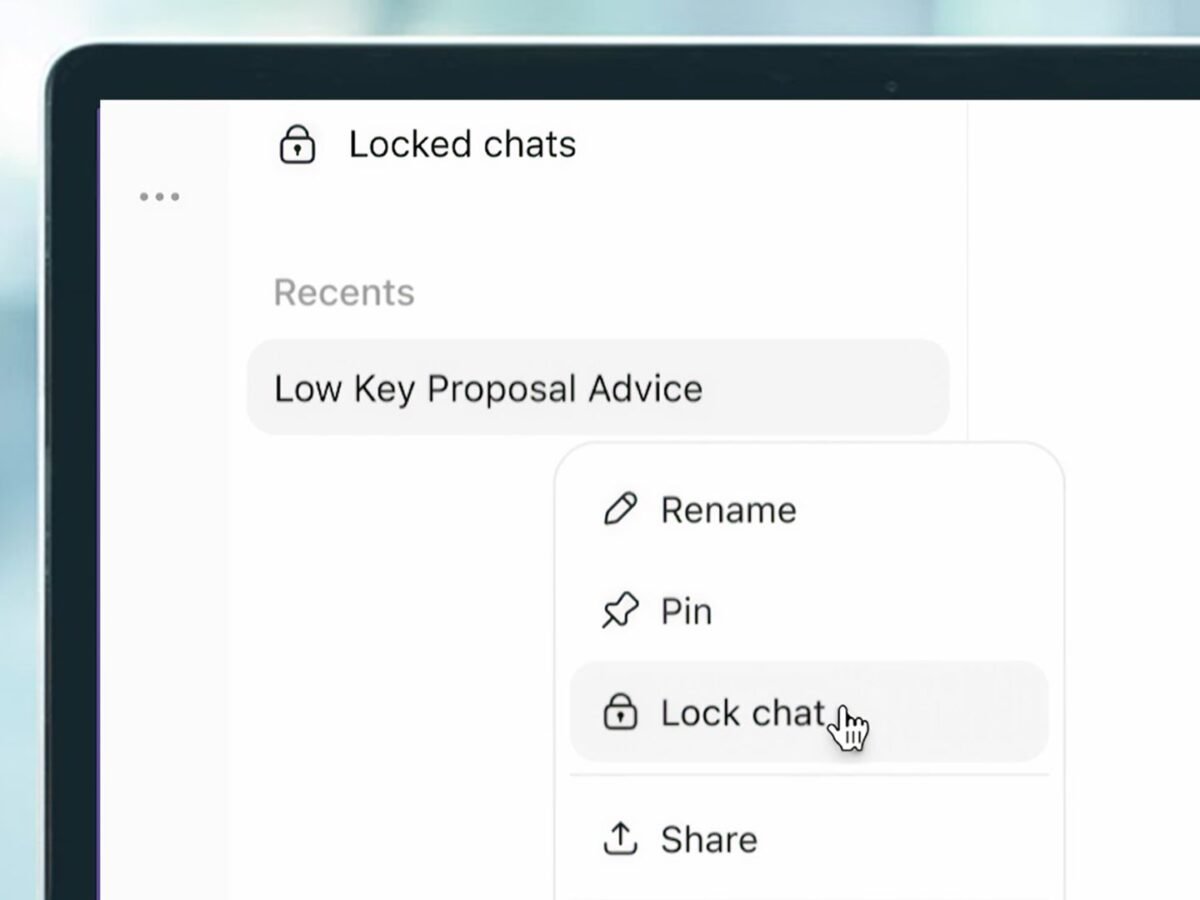
ChatGPT can hold a lot of knowledge about its users, acquired through deliberately personalizing the AI chatbot or by you simply leaving the memory feature on during conversations. OpenAI seems to think that might include details you’d rather a friend or family member didn’t stumble across, and it has taken steps to ease those fears with its new Locked Chats feature. Locked Chats seals specific conversations with ChatGPT behind a four-digit PIN or biometric check on mobile devices. Open the menu under the three dots in the upper right of the chat window, tap "Lock Chat," and confirm. You’ll need to make a four-digit PIN if you haven’t already, or link it to the face or fingerprint you use to unlock your device. Also, be sure to remember your PIN. You can change it later if you want, but if you forget it and have to reset it, ChatGPT will permanently delete every locked chat and file protected by the old PIN. Keep sensitive conversations out of view with Locked Chats in ChatGPT. Move chats out of your regular history and search into a protected space you can unlock with a PIN on web and desktop, or a PIN, Face ID, Touch ID, or device unlock on supported mobile devices. New messages sent in locked chats won’t update the memory used in your regular chats. Rolling out starting today to Free, Go, Plus, Pro, Business, Enterprise, and Edu plans. October 20, 2026
ChatGPT will make a new Project specifically for the locked chats. The conversations disappear from your regular history and search results unless unlocked. Someone casually browsing your account shouldn’t be able to find it without authenticating. But while Locked Chats will stop others from reading your conversations, the information embedded in your back-and-forth with the AI is a different story. Disappearing conversation trickery
Imagine using ChatGPT to plan a surprise birthday present for a romantic partner who might innocently borrow your phone, look up information in the chatbot, and stumble upon your plans. That’s what OpenAI seems to have in mind as a conversation you’d want to keep available without having it pop up when someone else looks at your phone. But what seems like a straightforward privacy upgrade has a couple of important caveats…